If you are a developer, you have probably used AI for coding by now.
Maybe you used ChatGPT to fix an error. Maybe you tried GitHub Copilot while working in VS Code. Or maybe you have seen tools like Cursor, Claude Code, Lovable and Bolt everywhere.
The problem is that there are so many AI tools for developers now.
Some are great for writing code. Some are better for debugging. Some can build a complete website from a prompt. Others are made for working with the terminal or cloud platforms.
So, which ones are actually useful?
In this guide, I have listed 15 AI tools for developers in 2026 and explained what each one is good for in simple words.
Let’s dive into it….
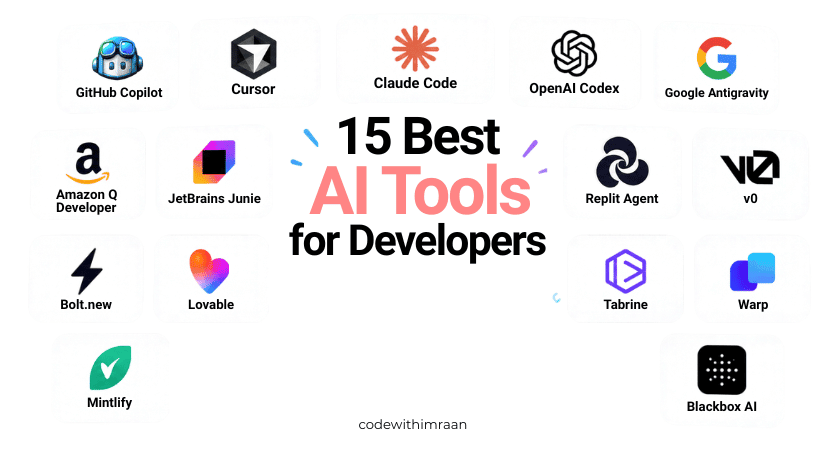
Quick comparison of AI tools for developers
| AI tool | Mainly useful for | Free option |
|---|---|---|
| GitHub Copilot | Everyday coding | Yes |
| Cursor | AI-powered coding | Yes |
| Claude Code | Terminal-based coding agents | Depends on access |
| OpenAI Codex | Agentic software development | Depends on plan/access |
| Google Antigravity | Agent-based development | Yes |
| Amazon Q Developer | AWS development | Yes |
| JetBrains Junie | JetBrains IDE workflows | Yes |
| Replit Agent | Building apps with AI | Yes |
| v0 | React and UI generation | Yes |
| Bolt.new | Rapid web app prototyping | Yes |
| Lovable | Full-stack app prototyping | Yes |
| Tabnine | AI coding and enterprise workflows | Yes |
| Warp | AI terminal workflows | Yes |
| Mintlify | Developer documentation | Yes |
| Blackbox AI | Code generation and extraction | Ye |
1. GitHub Copilot
GitHub Copilot is probably one of the first AI coding tools you will hear about. It works with popular code editors and can help you write code while you are working.
Best Use Cases:
- Auto-completing repetitive boilerplate code
- Writing functions from a single comment
- Generating unit tests automatically
- Getting suggestions while working with unfamiliar libraries
For example, instead of spending time writing a basic JavaScript function from scratch, you can describe what you want, and Copilot can give you a starting point.
Best for: Developers who want AI help while coding normally. If you are just starting with coding, don’t copy everything Copilot gives you. Ask it to explain the code too.
Pricing:
- Free plan: 2,000 code completions + 50 chat messages per month
- Pro: $10/month
- Pro+: $19/month
- Business: $19/user/month
Honest Review: Copilot is genuinely good for day-to-day coding. It speeds up the boring and repetitive parts of development significantly. However, it sometimes suggests outdated code, and you should always review what it generates before using it. Still, for the price, especially the free tier, it is one of the best starting points for any developer.
Rating: 4.5/5
2. Cursor
Cursor is an AI-powered code editor.
The main difference is that Cursor can work with your project and understand multiple files instead of only helping with one small piece of code.
Best Use Cases:
- Chatting with your entire project to understand legacy code
- Refactoring large files quickly
- Fixing bugs by just describing the problem
- Writing features from scratch using natural language
For example, you can ask: Find why my login page is not working.
Cursor can look through your project and help find the problem. It can also edit files, write code and run commands.
Best for: Developers working on real projects and larger codebases.
Pricing:
- Free plan: 2,000 completions + limited premium requests
- Pro: $20/month
- Business: $40/user/month
Honest Review: Cursor is probably the most powerful AI editor available right now. The ability to reference your entire codebase in a chat is a game changer, especially when working on large projects. The free plan is decent to get started. The only downside is that heavy users will hit the token limit on the free plan pretty fast.
Rating: 4.8/5
3. Claude Code
Claude Code is made for developers who like working with the terminal. You can give it a coding task and let it inspect your project, make changes and help solve problems.
Best Use Cases:
- Good for multi-file tasks
- Developers who work across multiple languages
- Useful for debugging
- Works well with terminal-based workflows
- Can handle larger tasks
For example: Find the error in my API and fix it.
Instead of explaining every file to the AI, Claude Code can inspect the project and work through the problem.
Pricing:
- Free Claude has a Free plan.
- Claude Pro costs $20/month when billed monthly, or about $17/month when paid annually.
- Claude Pro includes access to Claude Code.
Honest Review: I’d put Claude Code in a different category from normal AI autocomplete tools. The interesting part isn’t just getting code from AI. It’s being able to give it a task and let it work through the project.
For experienced developers, that can save a lot of repetitive work. For beginners, though, I’d first learn the basics of Git and the terminal.
Rating: 5/5
4. OpenAI Codex
Codex is an AI coding agent from OpenAI. Instead of only asking AI for a code snippet, you can give it a bigger development task.
Best Use Cases:
- Developers building on AWS (Lambda, S3, DynamoDB, etc.)
- Building features
- Working with repositories
- Security scanning for vulnerabilities in your code
- Code review
- Writing infrastructure as code (CloudFormation, CDK)
For example: Add a dark mode to this website and update the settings page. Codex can work through the task and make changes that you can review.
Best for: Developers who want AI to handle larger coding tasks.
Pricing:
- Codex is available through eligible ChatGPT plans.
- ChatGPT Plus is currently $20/month, while higher plans provide more usage.
Honest Review: What I like about this approach is the move from AI answering coding questions to AI working on actual development tasks. That can save a lot of time when you’re working on repetitive changes. But I still want to review the code myself.
AI can make a technically valid change that isn’t the right change for your application.
Rating: 4/5
5. Google Antigravity
Google Antigravity is focused on AI agents that can work through development tasks.
Best Use Cases:
- Debugging complex code that other tools miss
- Getting clear explanations of unfamiliar code
- Architecture planning and design decisions
- Code reviews with detailed feedback
Instead of asking AI: Write this function. you can give it a bigger task and let it work through multiple steps.
It can work across your code, terminal and browser as part of its agent-based workflow.
Best for: Developers who want to experiment with AI agents and larger coding tasks.
Pricing:
- Google currently offers an Individual plan for $0/month.
- Google AI Pro and Ultra provide higher limits and additional access.
This type of tool is becoming more interesting because AI is moving from simply suggesting code to actually working on tasks.
Honest Review: The interesting thing here is the agent approach. I see tools like this being useful when you want AI to handle several steps instead of just answering one question. But I wouldn’t give an AI agent full control over an important project and walk away.
I’d still review what it did..
Rating: 4.7/5
6. Amazon Q Developer
If you’re working with AWS, Amazon Q Developer is worth checking out. It can help with coding, debugging, security and AWS-related development work. It’s especially useful when your project uses services such as Lambda, S3, DynamoDB and other AWS services.
Pricing:
- Amazon Q Developer has a Free tier.
- The Pro plan costs $19 per user/month.
Honest Review: If you don’t use AWS, I wouldn’t choose this tool just because it’s on a list of AI developer tools. But if you’re already building on AWS, the AWS-specific context can be useful.
Rating: 3.7/5
7. JetBrains Junie
If you use JetBrains IDEs such as IntelliJ IDEA, WebStorm or PyCharm, Junie is worth knowing. Junie is JetBrains’ AI coding agent. It can help with coding tasks, debugging, refactoring and larger changes.
Pricing:
- Junie has a Free option with limited AI credits.
- JetBrains AI Pro starts around $8.33/month when billed annually.
- AI Ultimate is around $25/month when billed annually.
Honest Review: If you’re already comfortable with JetBrains, Junie makes sense. I wouldn’t switch your whole editor just because another AI tool is trending. Use the tool that fits your workflow.
Rating: 3/5
8. Replit Agent
Replit Agent is useful when you want to build an application quickly. You describe what you want and it can create a working project inside Replit.
For example:
Build a simple expense tracker with login and a dashboard.
You can then keep asking it to change the application….
Pricing:
- Replit has a Free option.
- The current Core plan starts at $20/month, or $18/month when billed annually.
- The Pro plan is $100/month, with higher usage and more agent capacity.
Honest Review: I like tools like Replit Agent for testing ideas. If I have an idea and want to see whether it can work, this kind of tool can save a lot of setup time. But I wouldn’t assume the generated application is automatically production-ready. Always check the code and security.
Best for: Prototypes, MVPs and quick experiments.
Rating: 4.5/5
9. v0
If you’re a frontend developer, v0 is one of the tools I’d definitely look at. It is mainly focused on generating UI and application interfaces. You can describe a design and get a starting point for your frontend.
Best Use Cases:
- Building React UI components fast
- Getting design variations quickly
- Prototyping dashboards, landing pages, and forms
- Copy-pasting ready-to-use Tailwind components
Pricing:
- v0 has a Free plan.
- Paid plans include options around $20/month and above, depending on the current plan structure.
Honest Review: This is where I see a lot of practical value for frontend developers. Sometimes you know exactly what you want the website to look like, but you don’t want to spend an hour creating the first version. v0 can give you that first version quickly.
Then you can take the code and improve it yourself.
If you’re learning frontend development, you can also check my Frontend Development Resources.
Rating: 4.6/5
10. Bolt.new
Bolt.new lets you create web applications using natural-language prompts.
Pricing:
- Bolt has a Free plan.
- The Pro plan currently costs $25/month.
Honest Review: I would use Bolt when I want to get an idea working quickly. I wouldn’t ask it to build an entire production application in one prompt.
Build one part. Check it. Fix it. Then move to the next part. That gives you much more control.
Best for: Web app prototypes and quick experiments.
Rating: 4.3/5
11. Lovable
Lovable is another AI application builder. You describe the website or application you want and then continue improving it through prompts.
Best Use Cases:
- SaaS ideas
- MVPs
- Dashboards
- Internal tools
- Landing pages
- Research while learning new frameworks
Pricing:
- Lovable has a Free plan.
- The Pro plan currently starts at $25/month and includes 100 monthly credits.
Honest Review: I think this type of tool is most useful when you want to test an idea before spending a lot of time building version one manually.
But don’t confuse: AI-generated prototype with: finished production application. Those are two different things.
Best for: MVPs and testing product ideas.
Rating: 4.4/5
You may also read: Best Resources to Become a Pro Programmer
12. Tabnine
Tabnine is an AI coding assistant focused on code completion, chat and development workflows. It also puts a strong focus on privacy, governance and enterprise use.
Pricing:
- Tabnine’s Code Assistant platform currently starts at around $39 per user/month when billed annually.
- Enterprise options are available for larger teams.
Honest Review: For a solo developer working on small projects, I don’t think you necessarily need all the enterprise features. But for companies that care about privacy, governance and where AI is deployed, Tabnine becomes more interesting.
Best for: Teams and enterprise development.
Rating: 4.2/5
13. Warp
Warp is an AI-powered terminal.
If you spend a lot of time using:
- Git
- npm
- Docker
- SSH
- Shell commands
- Development scripts
then Warp can make terminal work easier.
Pricing:
- Warp has a Free plan.
- The Build plan starts at around $20/month, with usage-based credits included.
- There is also a Max plan for heavier users.
Honest Review: I like the idea of AI inside the terminal because developers already spend a lot of time there. Instead of opening another browser tab to understand a confusing command, you can ask the terminal assistant. But please don’t blindly run commands just because AI suggested them.
Especially commands involving deleting files, changing permissions or modifying servers.
Best for: Developers who spend a lot of time in the terminal.
Rating: 4.0/5
14. Mintlify
Let’s talk about something developers usually don’t enjoy: documentation
Mintlify is focused on developer documentation.
You can use it for:
- API documentation
- Developer guides
- Open-source projects
- Product documentation
- Developer portals
Pricing:
- Mintlify currently has a Free Starter plan.
- Paid Pro plans start at a much higher price, currently around $450/month, aimed at startups and growing teams.: Custom pricing
Honest Review: For a small personal project, the free plan may be enough. But if you’re building an API or developer product, documentation becomes much more important.
Good documentation can save you and your users a lot of time.
Best for: API and developer documentation.
Rating: 4.2/5
15. Blackbox AI
Blackbox AI is another AI coding platform that can help developers generate and understand code. It can also be useful when you’re working from visual references such as screenshots.
For example, if you see a piece of code inside an image and want help understanding or recreating it, a tool like this can be useful.
Best Use Cases:
- Extracting code from YouTube videos or screenshots
- Getting code suggestions inside the browser
- Quick code search and autocomplete
Pricing:
- Blackbox AI offers a Free option, with paid plans and additional usage available depending on the product and current plan.
Honest Review: I wouldn’t use this as my only development tool. I’d look at it more as another useful AI assistant when I need help with code, examples or visual references.
Best for: Code assistance and working from code examples.
Rating: 4.3/5
Which AI tool should you use?
This is the part that matters more than the list. You don’t need all 15. Seriously…… Pick the one that matches your work.
If you’re a beginner:
Start with GitHub Copilot or another tool that can explain your code. Don’t ask AI to build everything for you. Learn the basics first. If you want a structured learning path, check out my 120-Day Web Development Roadmap.
If you’re a frontend developer: I’d look at:
Cursor + v0 Cursor can help you work with your project, while v0 can help you create UI ideas quickly. You can also use my Frontend Development Resources.
If you’re doing backend development: Look at…
Cursor + Claude Code or Codex, These tools become useful when your work involves multiple files, APIs and backend logic.
If you’re building an MVP
Try: Replit Agent, Bolt or Lovable, They’re useful when your main goal is getting the first version running quickly.
If you’re working with AWS
Try: Amazon Q Developer.
If you’re a terminal person
Try: Claude Code, Codex or Warp.
If you use JetBrains
Try: Junie.
My Honest take as a developer
AI can save you a lot of time, but you don’t need to use every AI tool out there.
I use AI mainly for things like fixing bugs, understanding code, getting ideas, writing repetitive code, and starting projects faster.
But I don’t blindly copy everything AI gives me. Sometimes the code looks good but still has problems.
So my advice is simple: use AI as your helper, not as your replacement.
Final Thoughts
AI coding tools are getting better really fast. But you don’t need to chase every new tool. Pick one, use it on a real project, and learn how it works.
Build projects. Make mistakes. Fix your code. And use AI when it can save you time.
Don’t just learn how to use AI. Learn how to build things with it.
That’s the skill that matters.

I’m a Full-Stack web developer (Freelancer). I’ve a great knowledge of anything related to HTML, CSS, JS, React, Node.js, MongoDB