Every new client at WeHandleBrands(My Agency) asks me the same thing in our first call. Which hosting should I buy?
I give them the same answer every time. Not because someone paid me to say it. Because I’ve actually set up hosting for dermatology clinics, salons, restaurants, and schools. I’ve seen which hosts cause 2 AM “the site is down” messages, and which ones just quietly work.
Most people pick hosting like they pick a recharge plan. Whichever tab shows the lowest number wins. I did the same thing on my first client project. Picked the cheapest host I could find to save a few hundred rupees a month. Then spent the next six months dealing with downtime, slow loading, and support chats that went nowhere. The client thought I was bad at my job.
I wasn’t. The hosting was.
Here’s what nobody tells beginners. The price on the homepage is the least important number on that page. What actually matters is the renewal price, how often your site gets backed up, and whether a real human helps you when something breaks at the worst time.
I’ve managed hosting across dozens of projects since then. My own blog, client sites, side projects, all of it. Here’s what I’d genuinely tell you to buy in 2026.
Quick disclosure before we start. This post has affiliate links, including one for Hostinger.
If you buy through them, I earn a small commission at no extra cost to you. I only recommend hosting I’ve actually used on real client projects. My agency’s reputation depends on these sites staying up, so I’m not going to point you somewhere that makes my own life harder.
1. Hostinger: My top pick for most business owners
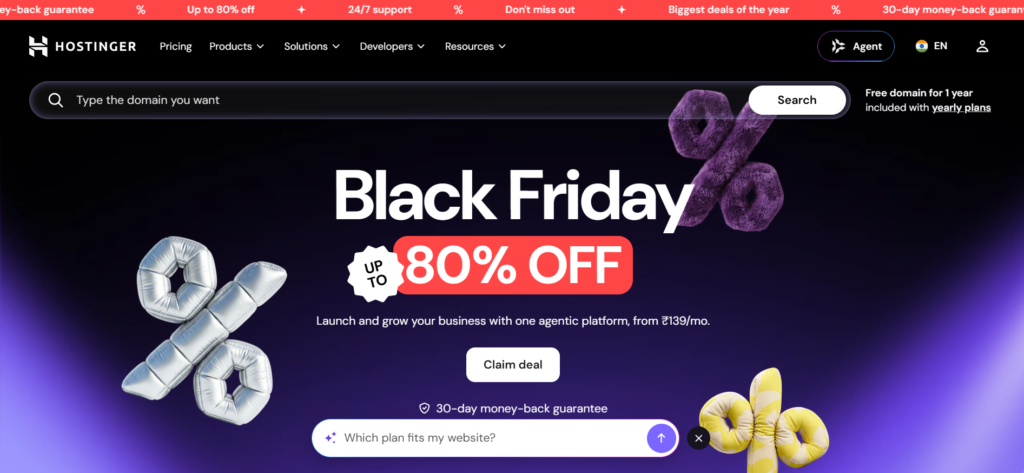
If you’re building your first business website in 2027, start here. It’s what I use for most of my smaller client projects too.
Hostinger ditched cPanel for its own dashboard, hPanel. It’s the one hosting panel I’ve handed to a non-technical salon owner and not gotten a panicked call afterward. WordPress installs in one click. Your domain, email, SSL, and backups all sit in one place.
That sounds small until you’re the one juggling three logins just to fix a broken image.
Hostinger also made it onto WordPress.org’s official recommended hosting list recently, right next to Bluehost. That list barely changes, so that’s worth noting.
What you get on the Premium plan:
- Enough resources for a growing small business site
- Free domain for the first year
- Free domain privacy protection
- Weekly backups
- 24/7 live chat support
- Free migration if you’re moving from another host
- 30 day money back guarantee
One honest downside. Premium plan backups run weekly, not daily. If your site takes bookings, orders, or client leads, like most businesses I build for, a weekly backup means you could lose up to a week of real data if something breaks. For that kind of site, I move clients to Hostinger’s higher tier plan instead.
It has daily backups and more storage. Costs a little more upfront, but losing a week of bookings costs a lot more than the price gap.
2. Bluehost: best if you want everything WordPress first
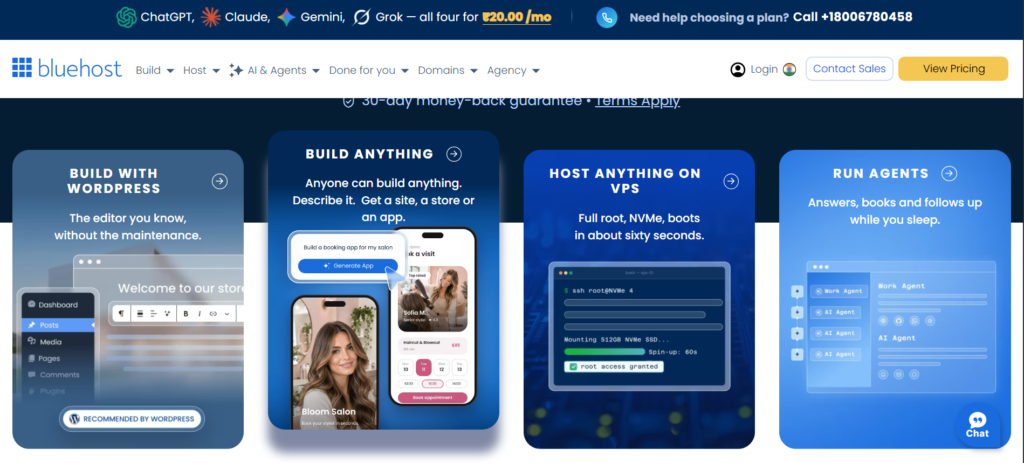
Bluehost has been on WordPress.org’s recommended list longer than anyone. It shows. Everything about it is built around WordPress specifically.
It handles your WordPress updates for you. You get a free domain for the first year and a free SSL certificate out of the box. The catch is support stays chat only on the entry plan. Phone support only shows up once you move to their Business tier.
Funny enough, Bluehost’s renewal price actually ends up a dollar cheaper per month than Hostinger’s. So why isn’t it my top pick? Mostly the upfront cost over a few years, and the support experience, which has felt slower every time I’ve needed it for a client issue.
Still, if you want a host that’s lived and breathed WordPress for over a decade, Bluehost is a completely safe choice.
3. Cloudways: best once speed actually matters

I won’t send a first time website owner here. Cloudways is managed cloud hosting. You pick a cloud provider like DigitalOcean, Vultr, AWS, or Google Cloud, choose a server size, and Cloudways manages the technical side.
Think of Hostinger as renting a flat in a shared building. Cloudways is more like renting your own floor with a building manager included. The dashboard is powerful, but you’ll run into terms like vertical scaling and staging environment fairly fast. Not scary, just more than most beginners want in week one.
What makes it worth it for the right business: automated one click backups, support through live chat and tickets, and pay as you go billing. No four year lock ins, no renewal shock. The trade off is backups get billed separately, so your monthly bill moves around more than shared hosting.
I moved one of my higher traffic client sites here once page speed started costing them bookings directly. If your site already gets steady traffic and slow pages are costing you customers, this is the upgrade path worth learning.
So which one should you actually pick
- Total beginner, first business website: Hostinger Premium. Easiest dashboard I’ve handed to a non-technical client, and it’s on WordPress.org’s trusted list.
- Your site already makes you money through bookings, orders, or leads: Hostinger’s higher tier plan, for the daily backups alone.
- You want a WordPress only setup and don’t mind a longer term: Bluehost is a solid, safe pick.
- You already get steady traffic and speed is costing you customers: Cloudways, once you’re ready for a slightly more technical dashboard.
For most people reading this, especially small business owners building their first real website, I’d still point you to Hostinger. It’s the one I keep coming back to on client projects. It’s the one I wish someone had told me about before I wasted months on my first cheap host.
Still mapping out how your website fits into your bigger plan? My web development roadmap for 2027 walks through exactly where hosting fits in, right after you pick your stack.
And if you’re building this site to eventually make money from it, not just host it, read how programmers actually earn money next. Hosting is step one. Monetizing it is the part most people skip planning for.
Frequently asked questions
What is the best web hosting for business owners in 2027?
For most business owners, Hostinger Premium is the easiest starting point in 2026. The hPanel dashboard doesn’t feel technical, WordPress installs in one click, and you get a free domain plus weekly backups in your first term.
Is Hostinger good for a small business website?
Yes. If your site handles bookings, orders, or leads, go with Hostinger’s higher tier plan instead of the base one. You get daily backups instead of weekly, more storage, and priority support, which matters a lot more once real business data is on the line.
How do I move my website to a new host without losing anything?
Easier than it sounds, because good hosts do most of the work. Hostinger offers free website migration, so your old hosting stays live until the new one works properly. Nothing goes offline in between.
Is Bluehost or Hostinger better for WordPress?
Both sit on WordPress.org’s official recommended hosting list, so either is a safe technical choice. Bluehost renews a dollar cheaper, but Hostinger’s longer term pricing and easier dashboard make it the better starting point for most beginners.
What’s the best hosting for an online store or high traffic site?
If your site already gets steady daily traffic, look at Cloudways. You pick the cloud server and they manage it, which keeps pages fast. Slow pages are the fastest way to lose paying customers.
Still figuring out which tools actually help you grow once hosting is sorted? Check out the best AI tools for developers in 2026 next.

I’m a Full-Stack web developer (Freelancer). I’ve a great knowledge of anything related to HTML, CSS, JS, React, Node.js, MongoDB